If you’re having trouble connecting your United Healthcare account to Granted, try the following steps.
Forgot Your United Healthcare Username or Password?
⚠️ Note: You must have a health plan with this insurer to perform this action.
Click on “Forgot username or password”
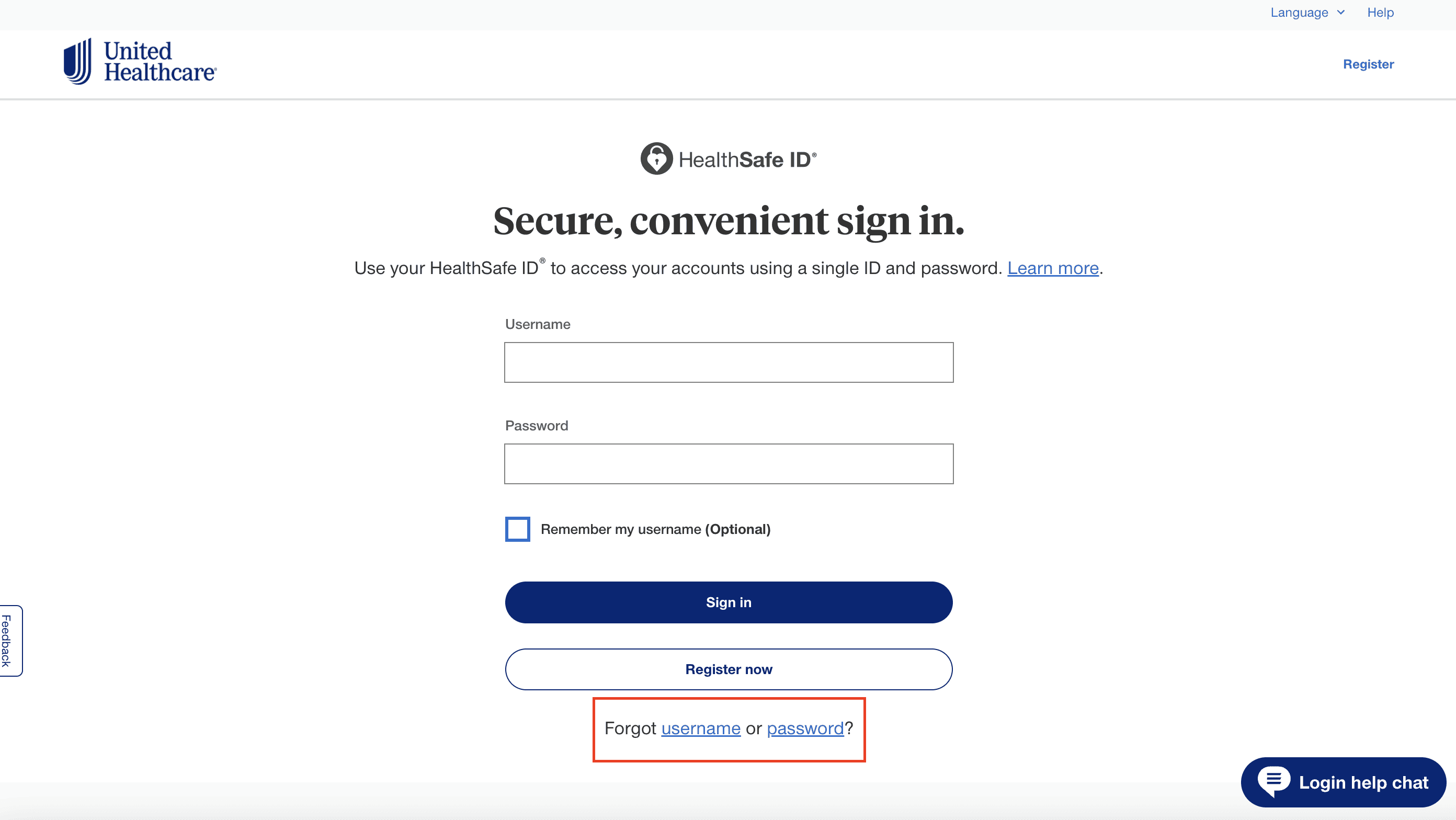
Follow the instructions to reset your username or password
Log in to your account to ensure your new username and password are working
Make sure to accept any consent forms or Terms and Conditions that your health plan may require to use an online account
Go back to the Granted app to connect your insurance account and enter in the updated username or password
First Time User? Register for a United Healthcare Online Account
If this is your first time on the United Healthcare website, you’ll need to register for an online account.
⚠️ Note: You must have a health plan with this insurer to perform this action.
Follow the instructions on the Register page
Have your United Healthcare Member ID or Medicare card ready
Log in to your account to ensure your new username and password are working
Make sure to accept any consent forms or Terms and Conditions that your health plan may require to use an online account
Go back to the Granted app to connect your insurance account and enter in your new username and password
Still Having Trouble Connecting United Healthcare to Granted?
If you are still having issues with your United Healthcare account, you can try:
Call the phone number for Member Services on the back of your ID card
Find support by calling one of the numbers at United Healthcare